Anti Tear
Your capture card, at its fastest
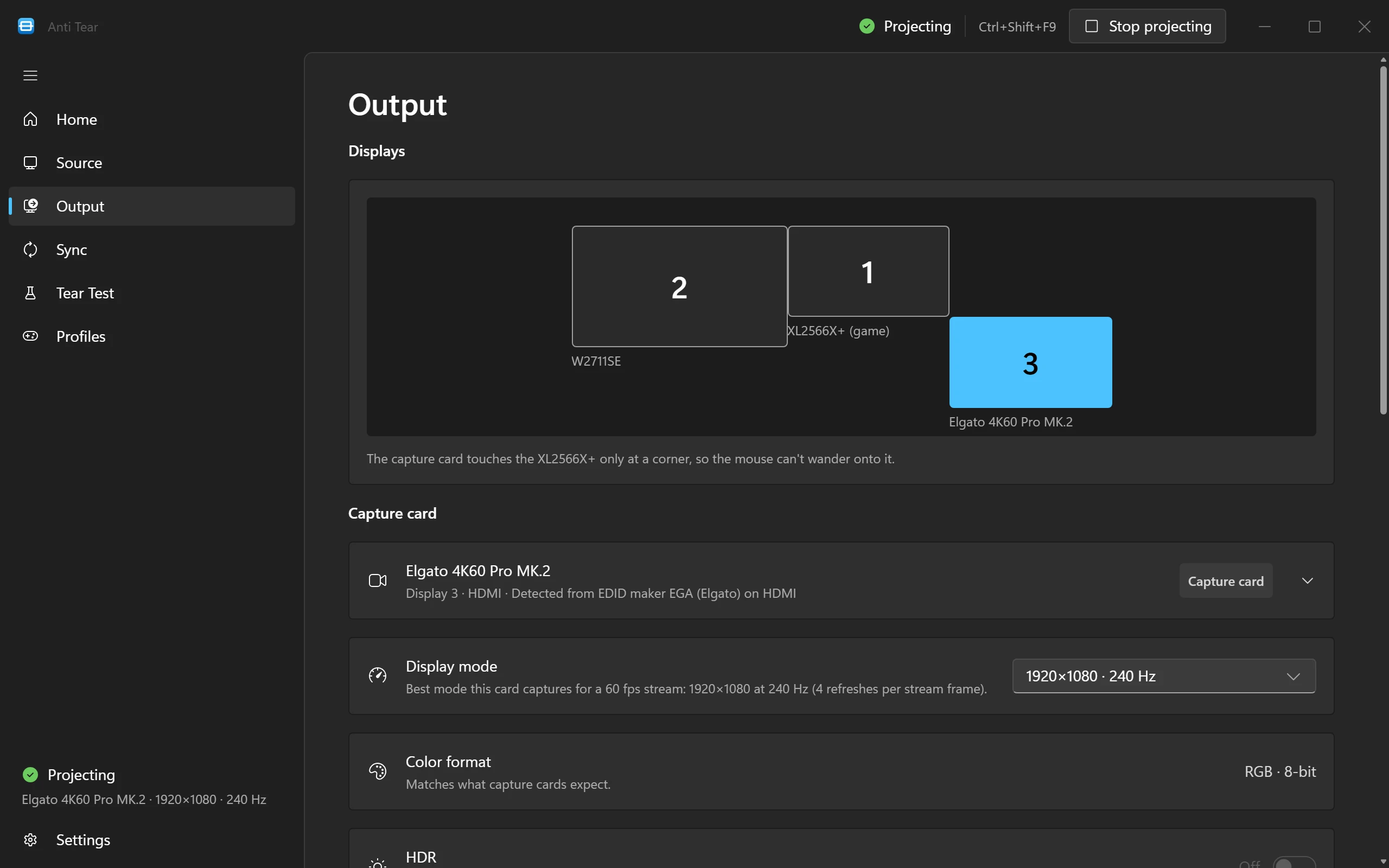
Anti Tear knows the real capture limits of 24 cards from 9 makers, and runs yours at the fastest refresh it captures for your stream.
Every card Anti Tear knows
The refresh rate Anti Tear picks at each size for a 60 fps stream. A dash means the card can’t capture that size. Select a card for its notes and how to unlock its fast modes.
| 240 Hz | 120 Hz | |
| 240 Hz | 120 Hz | |
| 240 Hz | 120 Hz | |
| 60 Hz | 60 Hz | |
| 120 Hz | 60 Hz | |
| 120 Hz | 60 Hz | |
| 60 Hz | Can’t capture | |
| 60 Hz | Can’t capture | |
| 60 Hz | Can’t capture | |
| 240 Hz | 120 Hz | |
| 240 Hz | 120 Hz | |
| 240 Hz | 120 Hz | |
| 240 Hz | 120 Hz | |
| 120 Hz | 60 Hz | |
| 120 Hz | 60 Hz | |
| 60 Hz | 60 Hz | |
| 60 Hz | 60 Hz | |
| 120 Hz | 60 Hz | |
| 120 Hz | 120 Hz | |
| 120 Hz | 60 Hz | |
| 60 Hz | Can’t capture | |
| 60 Hz | 60 Hz | |
| 60 Hz | Can’t capture | |
| 60 Hz | Can’t capture |
How Anti Tear picks a mode
Anti Tear goes by what your card actually captures, not the fastest signal it accepts.
Captured, not passed through
Cards take faster signals than they can capture. Anything above the capture rate only reaches the card’s HDMI OUT and is thrown away inside the card, so OBS never sees it.
A whole multiple of your stream
The refresh has to divide evenly into your stream’s frame rate, or the stream judders. For a 60 fps stream, a card that captures 1440p at 144 Hz runs at 120.
Uncompressed only
Some cards reach their fastest modes only by sending OBS MJPEG. Anti Tear never picks those modes: it plans for the fastest one that arrives uncompressed.
Unlocking the fast modes
Some cards offer Windows their fast modes only after a setting in the maker’s software. Each card in the list above says what to change, if anything.
Card not listed?
Any card that shows up as a display in Windows works. Anti Tear doesn’t know how fast an unlisted card captures, so it runs it at 60 Hz.
If Anti Tear names your card wrong, choose the right model on its Output page. You can pick another display mode there too: every change waits 15 seconds for you to keep it, and goes back by itself if you don’t.
Ask about a card